Excel Templates
Every template here is generated, not downloaded from a library. You pick the categories, months, currency and rows, and the workbook is built in your browser with live formulas already wired up.
- Runs in your browser
- Free
- No sign-up
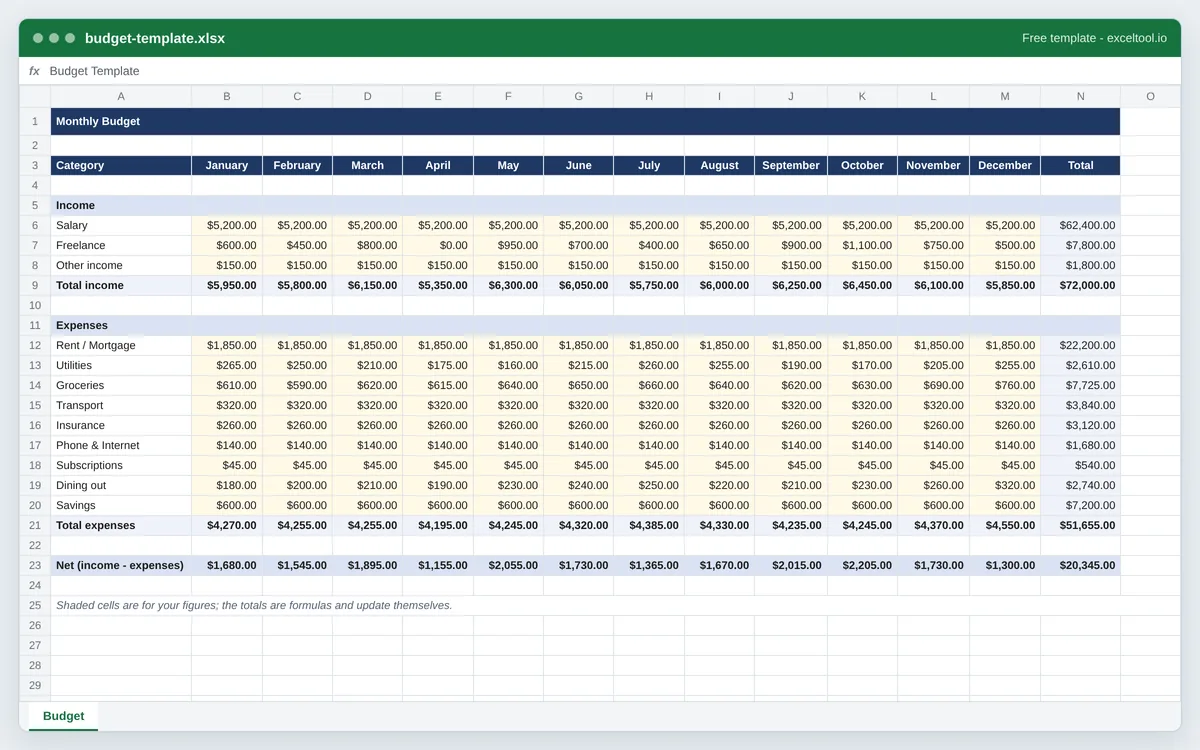
Budget Template
Build a monthly budget workbook with your own categories, live totals, and a running net figure.
- One column per month, with a Total column that sums the year across each category.
- Separate income and expense sections, each with its own subtotal row.
- A Net row that subtracts total expenses from total income for every month.
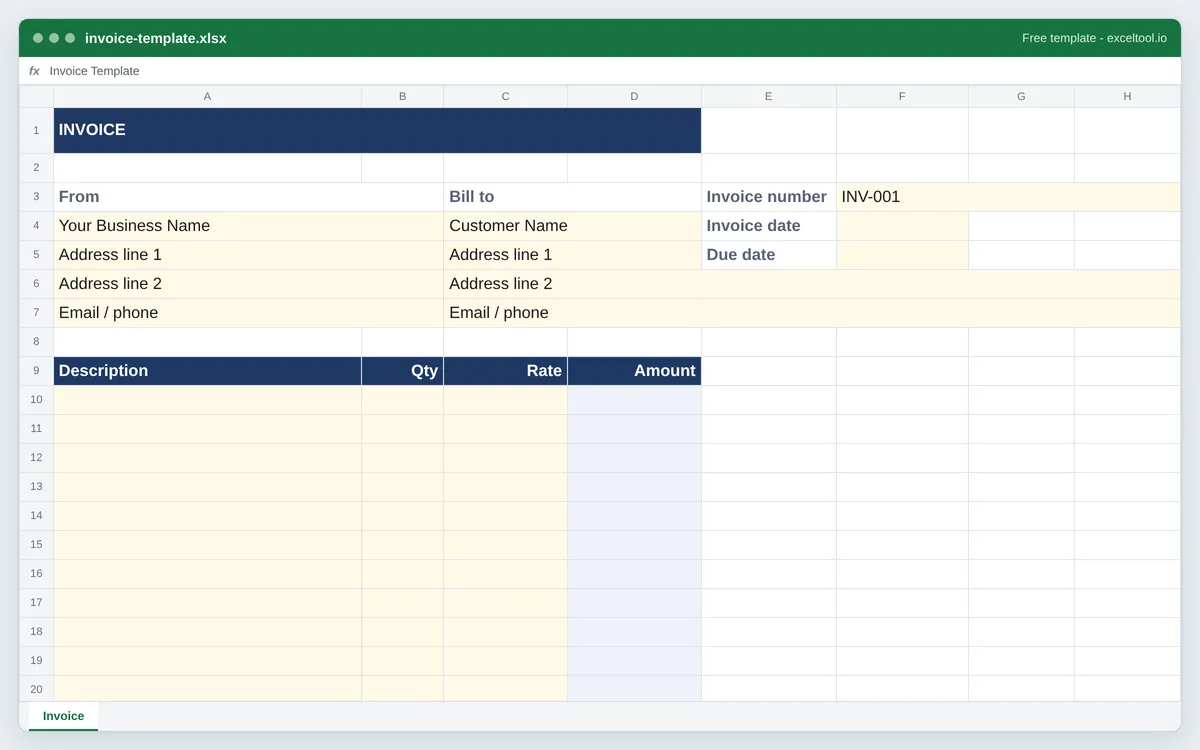
Invoice Template
Build an invoice workbook with your business details, line items that calculate themselves, and a tax line you control.
- Addressed header blocks for your business and the customer.
- Line items where Amount is Quantity x Rate, and stays blank until both are filled.
- Subtotal, an editable tax rate, and a Total that follows both.
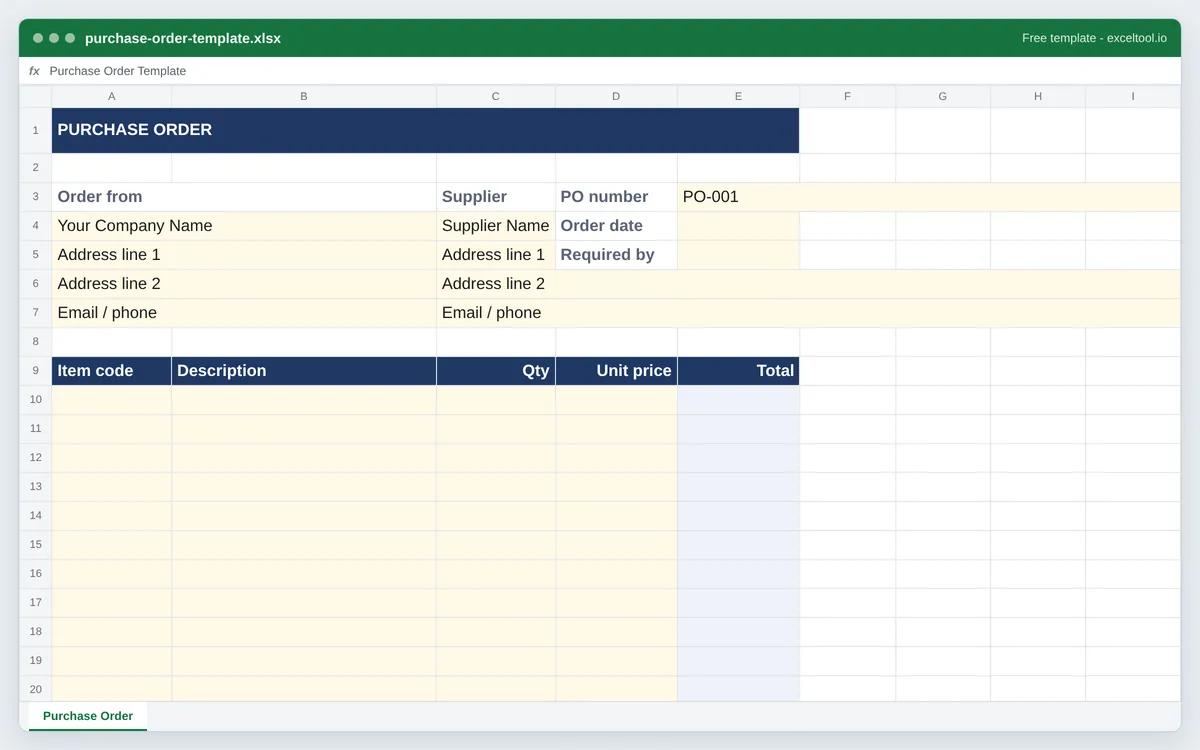
Purchase Order Template
Build a purchase order workbook with supplier details, item codes, and totals that calculate themselves.
- Separate blocks for your company and the supplier, plus PO number and required-by date.
- An item-code column, which is what separates a purchase order from an invoice.
- Line totals as Quantity x Unit price, with subtotal, tax, and total below.
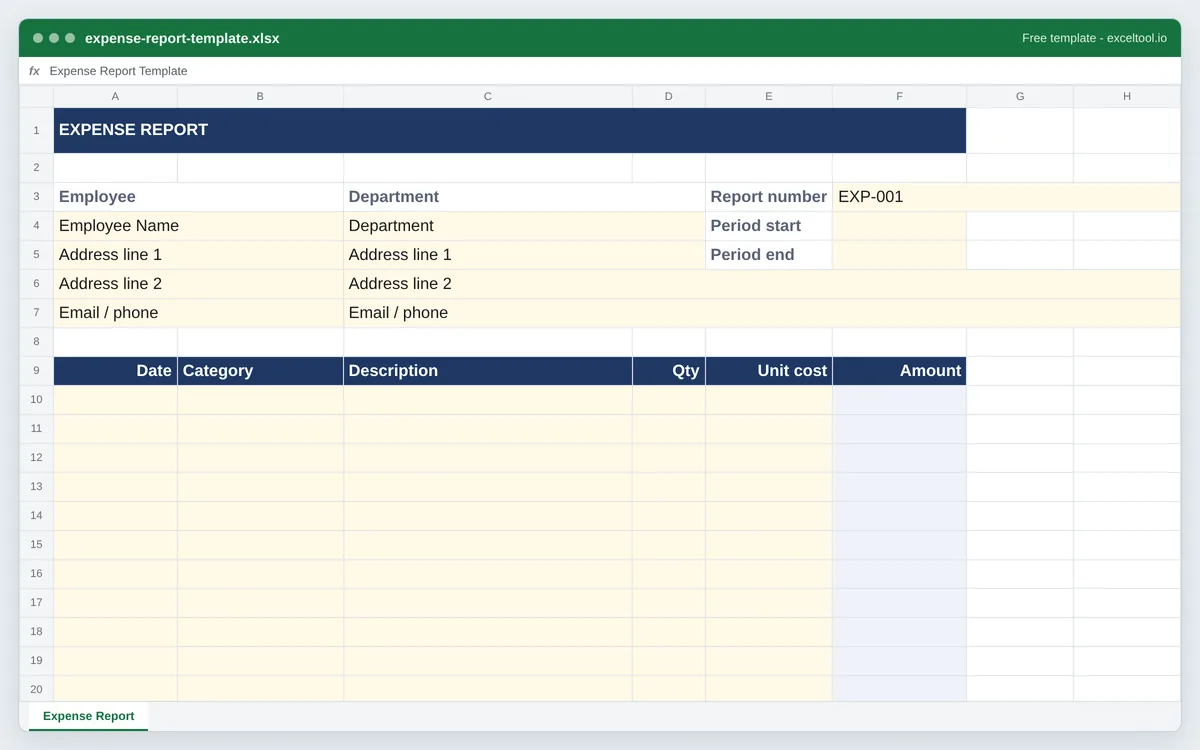
Expense Report Template
Build an expense report workbook with a date and category per line and a total ready to submit.
- One row per expense with date, category, description, and amount.
- An employee and reporting-period block at the top.
- A total that sums every line, plus an optional tax line for reclaimable amounts.
Inventory Template
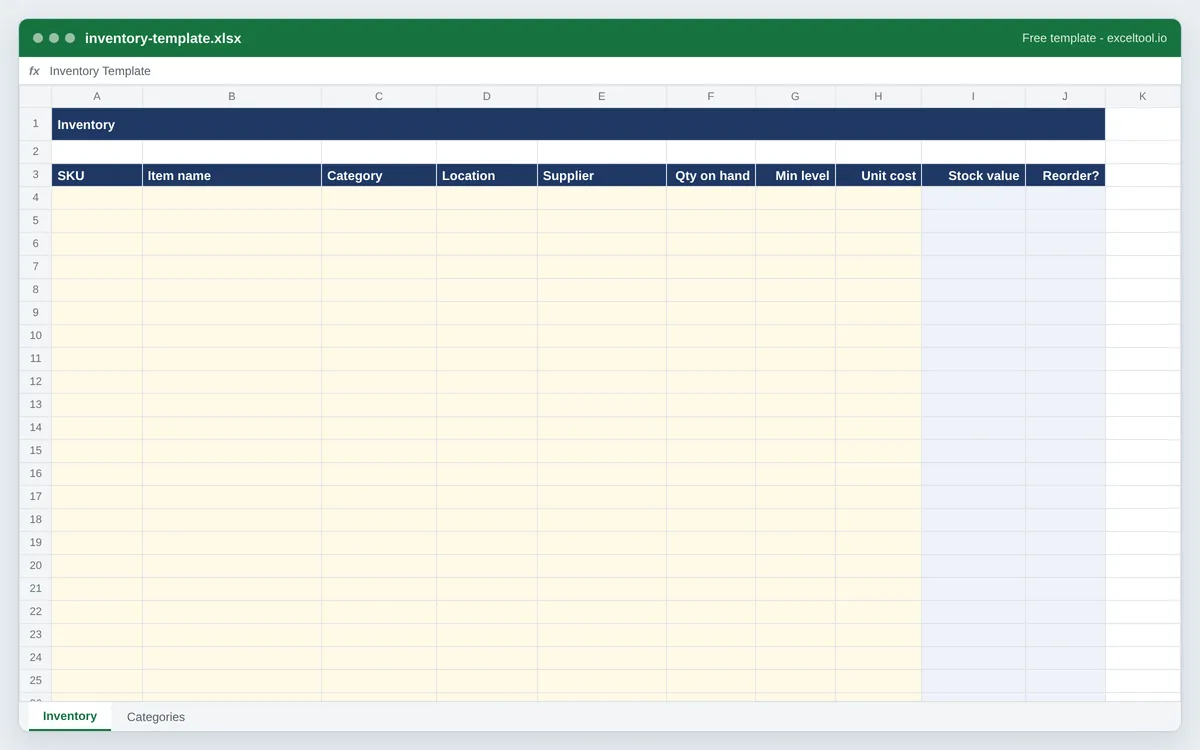
Build a stock list with per-item value, a reorder flag that watches your minimum level, and a category sheet for dropdowns.
- One row per SKU with quantity, unit cost, and a Stock value formula.
- A Reorder? column that flags any item at or below its minimum level.
- A Categories sheet you can point a data-validation dropdown at.
Calendar Template
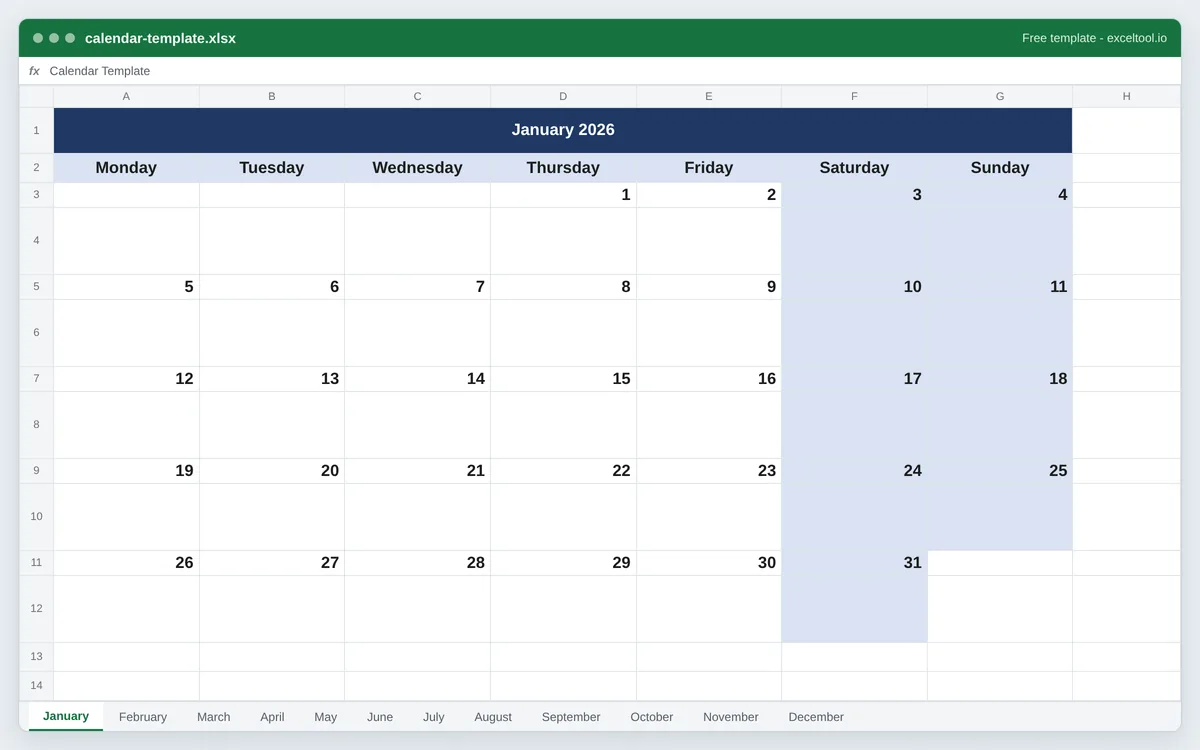
Build a monthly calendar workbook for any year, with one sheet per month and room to write in each day.
- One worksheet per month, each laid out as a real calendar grid.
- Correct weekday alignment for any year, including leap years.
- Monday or Sunday as the first day of the week.
Amortization Schedule
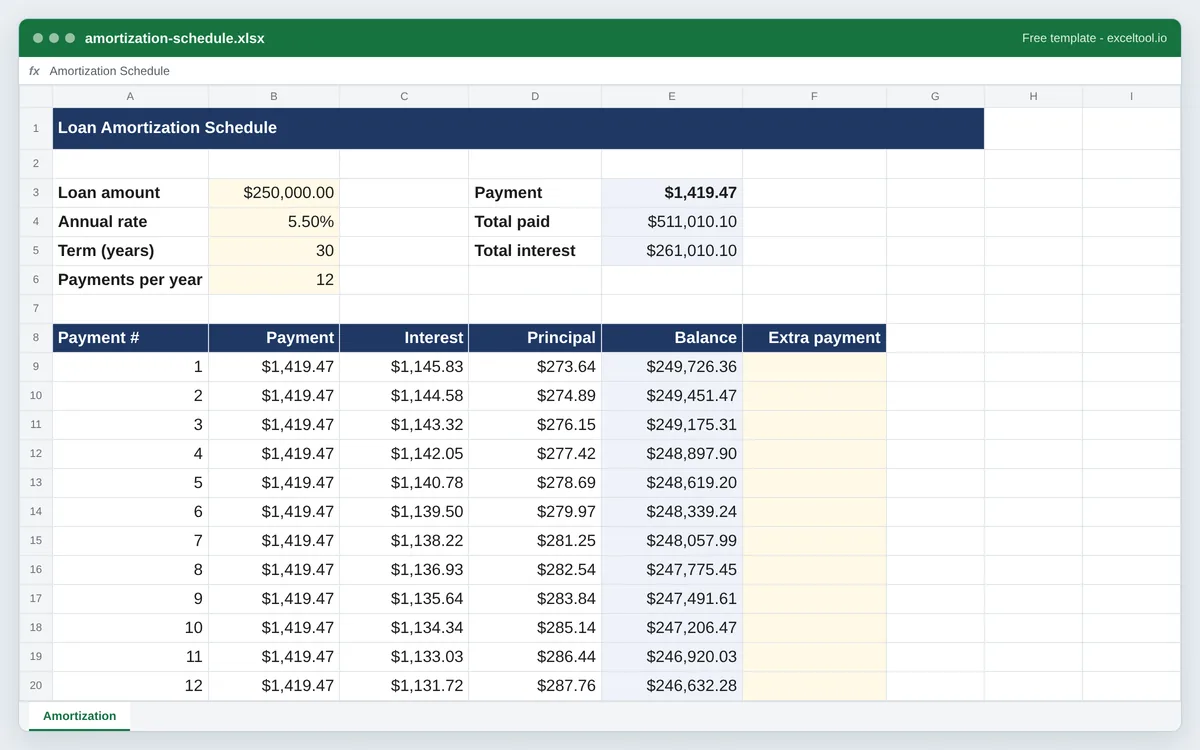
Build a loan amortization schedule with a payment row for every period, split into interest and principal.
- A summary block with monthly payment, total interest, and total cost - all formulas.
- One row per payment showing interest, principal, and the remaining balance.
- An optional extra-payment column that shortens the schedule as you fill it in.
Gantt Chart
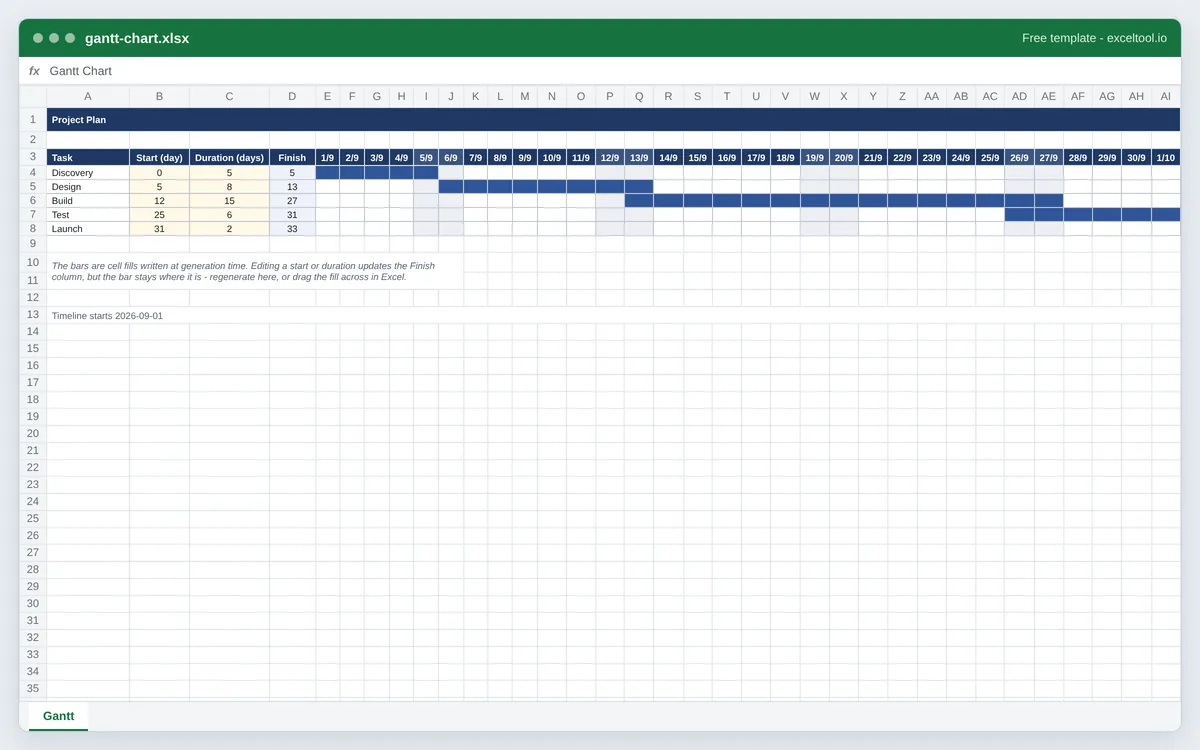
Build a Gantt chart workbook with a shaded bar for every task across a dated timeline.
- One row per task with its start, duration and finish, and a shaded bar across the timeline.
- A dated header so the timeline reads as real dates rather than day numbers.
- Optional weekend shading, and a bordered grid so the bars read as a chart.
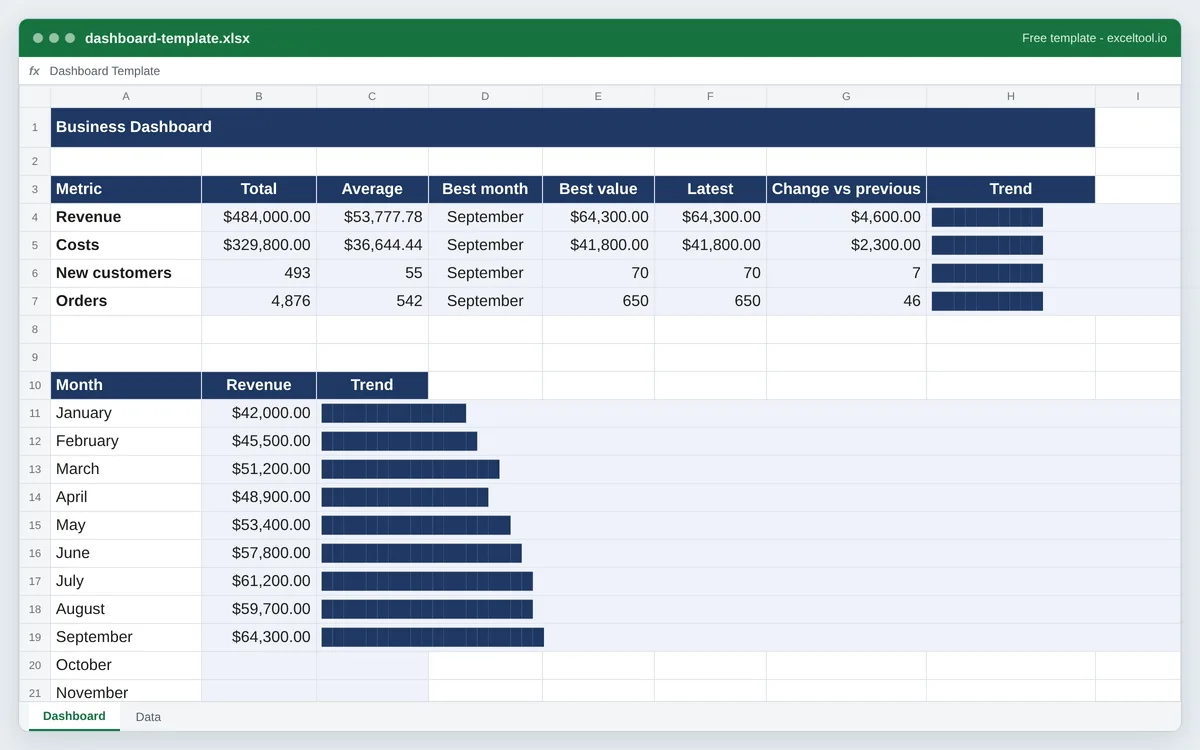
Dashboard Template
Build a KPI dashboard workbook: a data sheet for your monthly figures and a dashboard that summarizes every metric with live formulas and in-cell trend bars.
- A Data sheet with one row per month and one column per metric, cream cells ready for your figures.
- A Dashboard sheet that gives every metric its total, average, best month, latest value and change since the month before.
- An in-cell trend bar per metric and a month-by-month bar column for your first metric, drawn with REPT rather than a chart object.
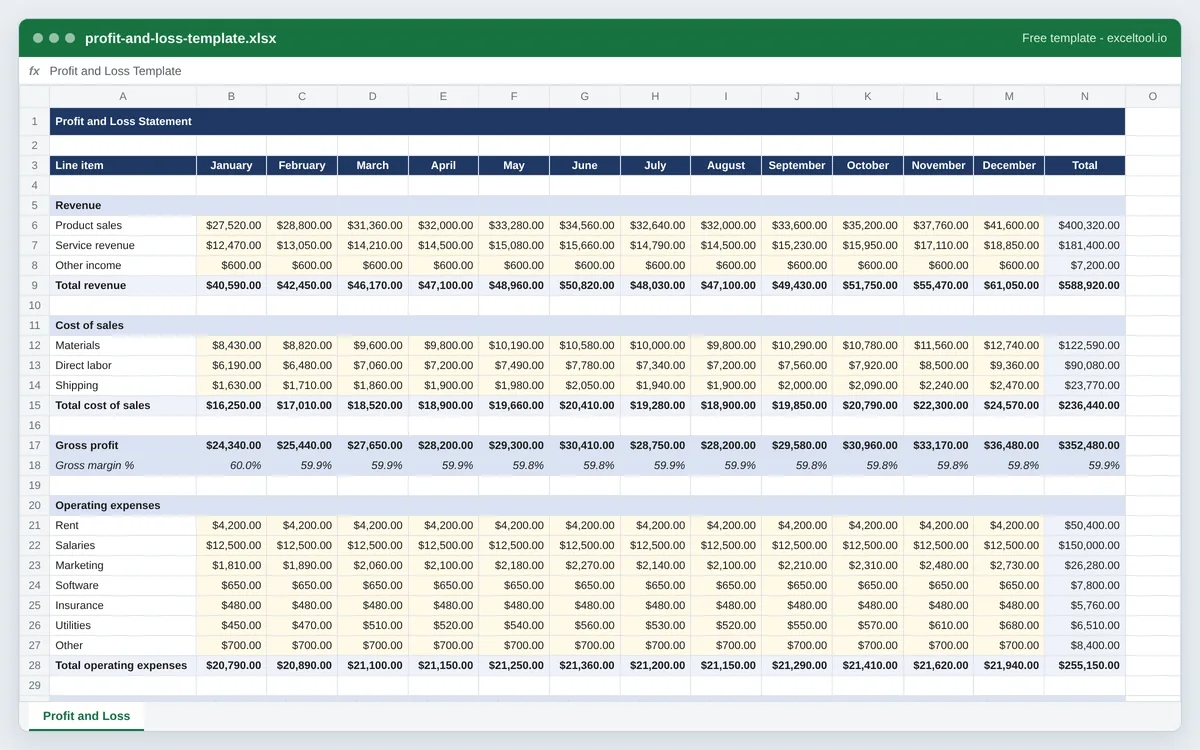
Profit and Loss Template
Build a monthly profit and loss statement with your own revenue, cost of sales and expense lines, and live gross profit, operating profit and margin rows.
- Revenue, cost of sales and operating expense sections with your own line items.
- One column per month and a Total column that sums the year for every line.
- Gross profit, gross margin %, operating profit and net margin % as live formulas.
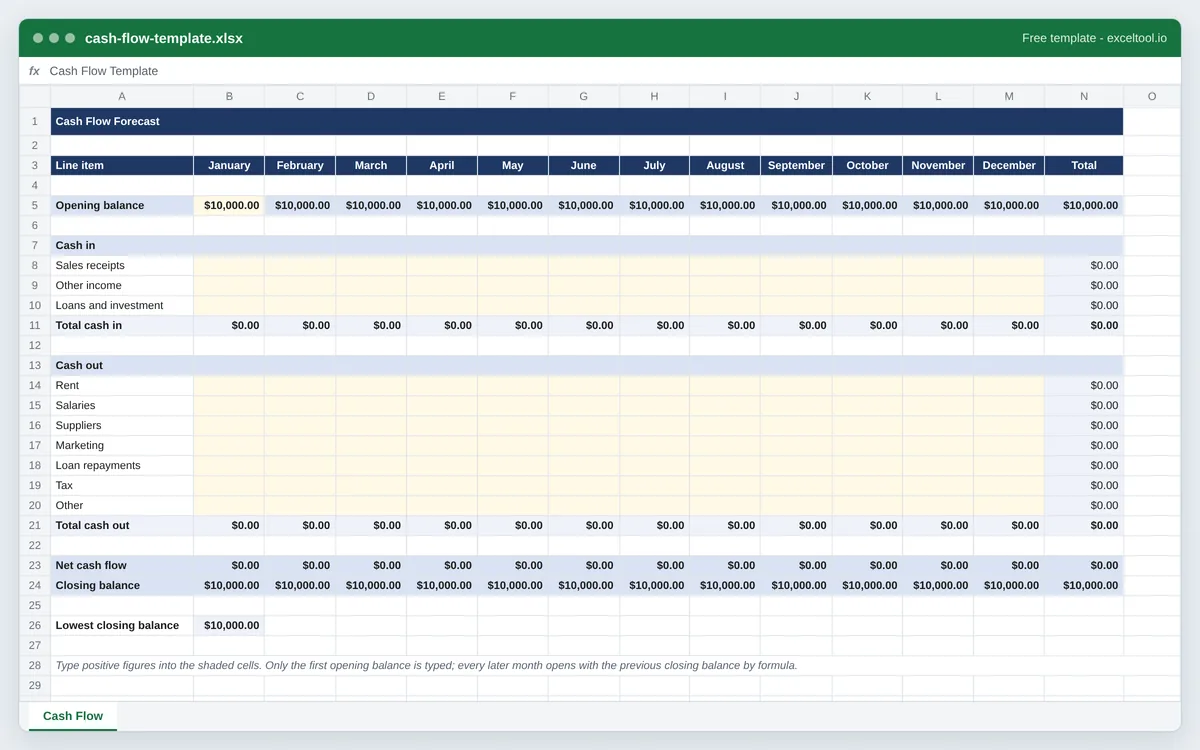
Cash Flow Template
Build a monthly cash flow forecast with your own inflow and outflow lines. Closing balances carry forward by formula and the lowest point of the year is picked out.
- Cash in and cash out sections with your own line items and one column per month.
- Net cash flow and closing balance rows as formulas for every month.
- Each month's opening balance is the previous month's closing balance, by formula.
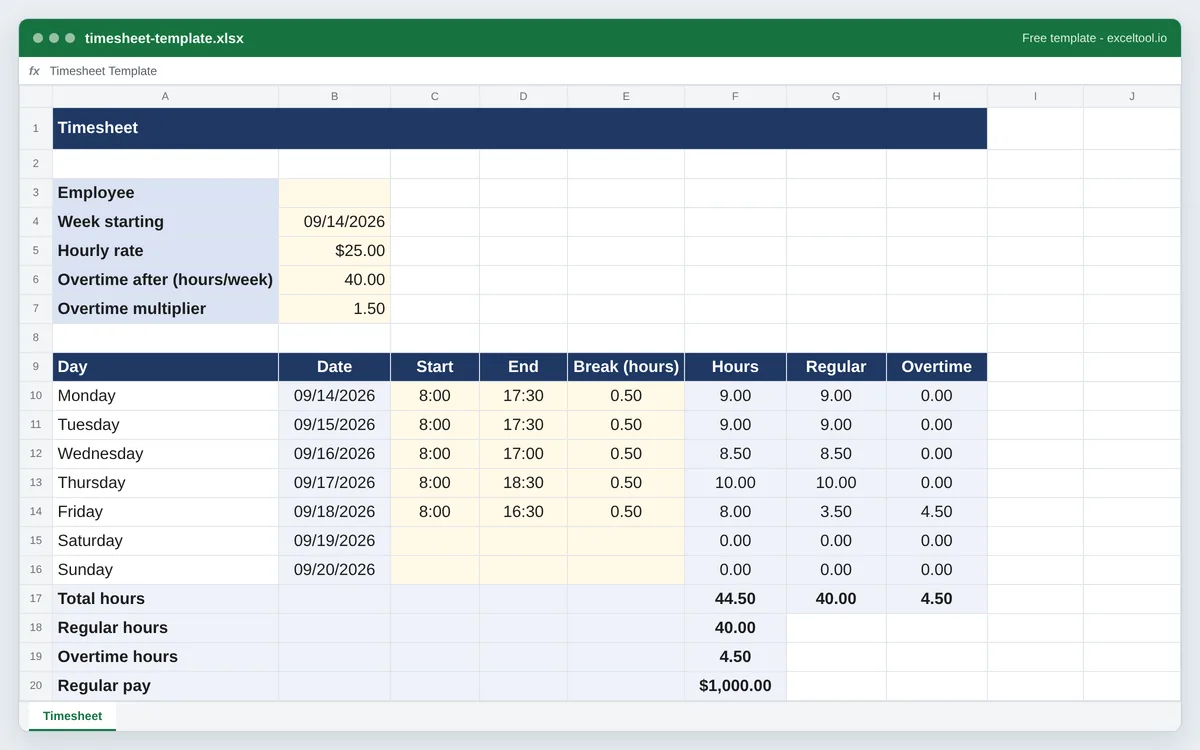
Timesheet Template
Build a weekly timesheet that works out hours from start, end and break times, splits overtime, and calculates pay from the hourly rate.
- One row per day with start time, end time and break, and the hours worked as a formula.
- Dates filled in from the week start by formula, so one date change moves the whole week.
- Weekly total split into regular and overtime hours at the threshold you set.
Mileage Log Template
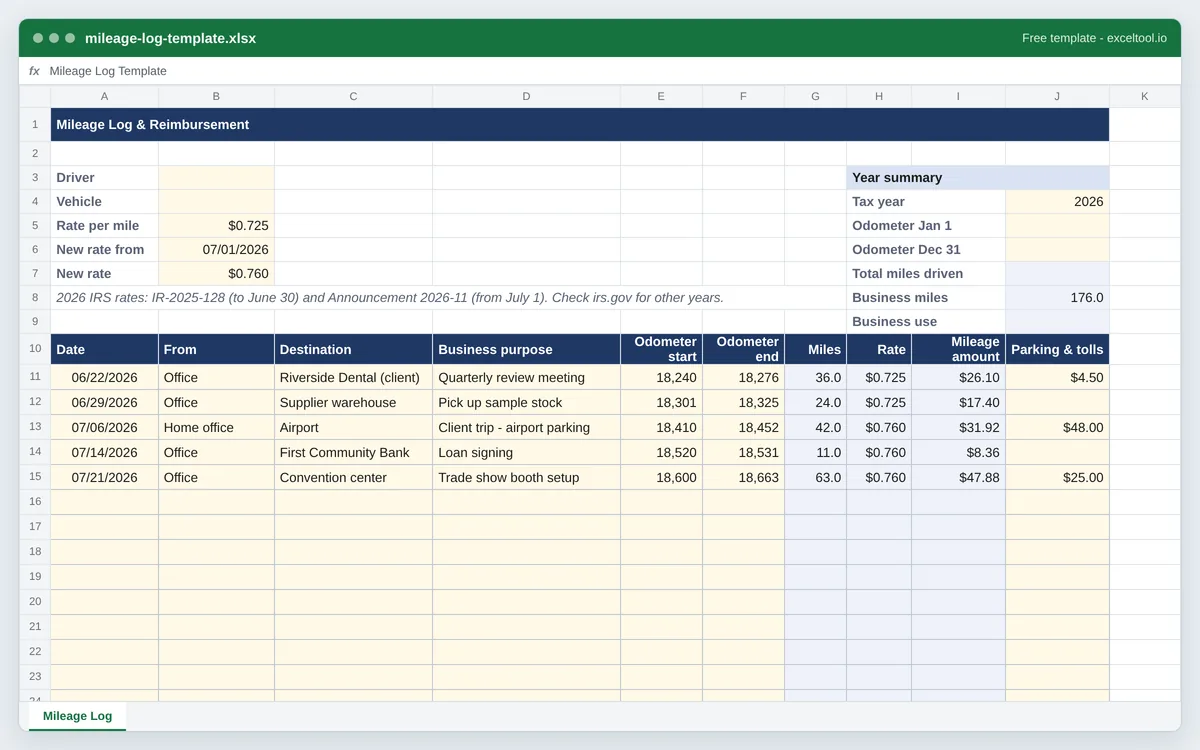
A trip log with the columns the IRS asks for, and a reimbursement calculator that applies the 2026 standard mileage rate in force on each trip's date.
- Columns for every item the IRS expects in a mileage log: date, destination, business purpose and miles (from odometer readings).
- Each trip is priced at the rate in force on its date: 72.5¢ a mile to June 30, 2026 and 76¢ from July 1, both editable cells.
- Parking and tolls in their own column, because they are claimed on top of the standard mileage rate.
Payroll Template
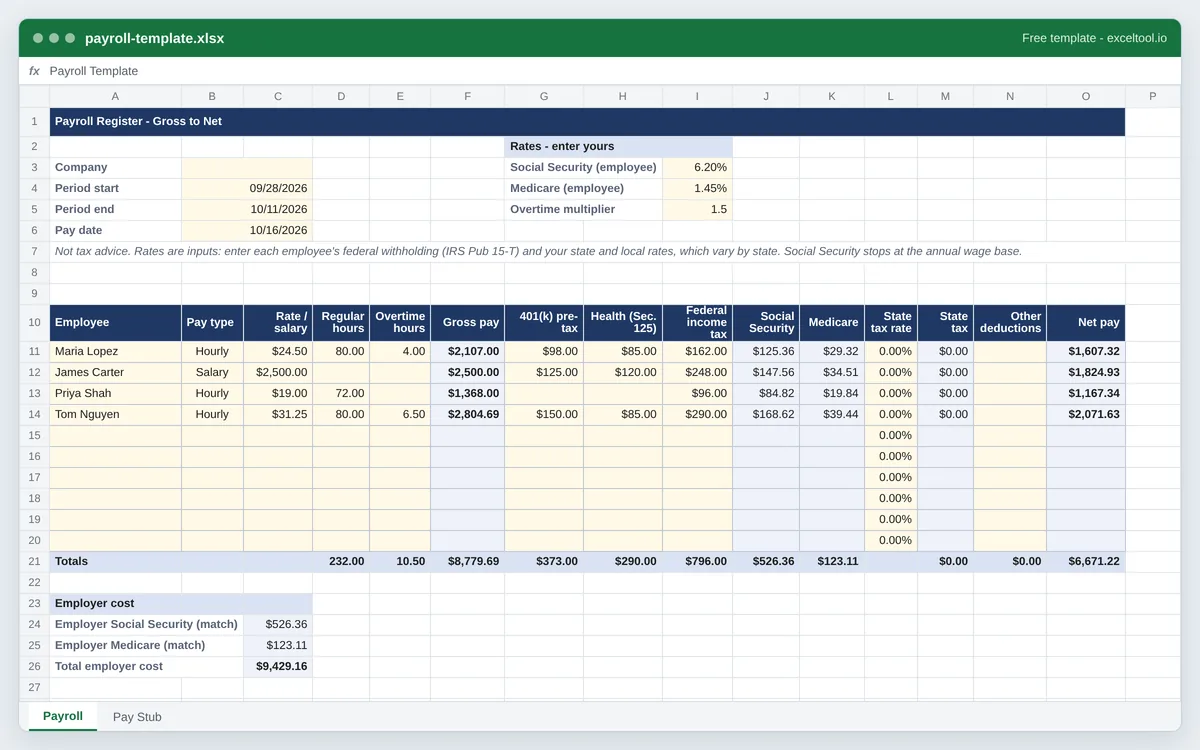
A payroll register that works each employee from gross pay to net pay with the tax rates and withholdings you enter, plus a printable pay stub.
- One row per employee: hourly or salary, regular and overtime hours, and gross pay with overtime at the multiplier you set.
- Pre-tax 401(k) and Section 125 health deductions handled the way US payroll treats them for income tax and FICA.
- Social Security, Medicare and state tax at rates you enter, federal withholding typed per employee - no built-in tax tables.
Invoice Tracker Template
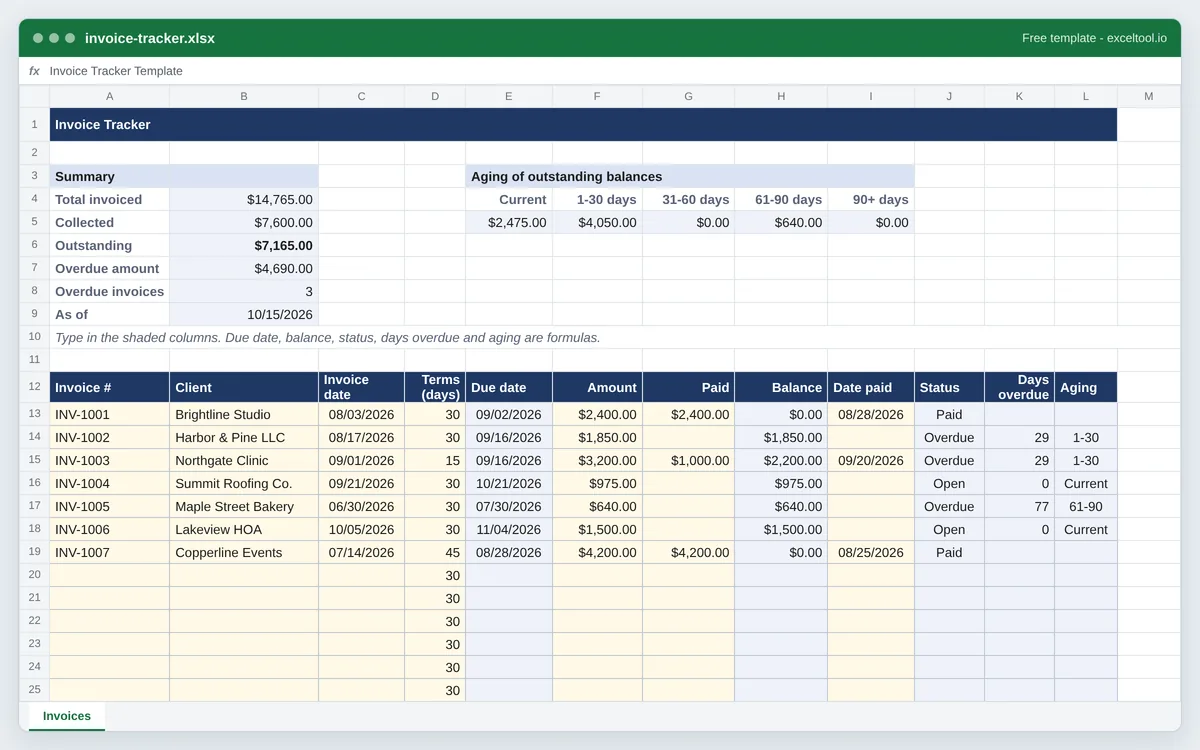
Track every invoice you send: due dates, payments, status and days overdue update themselves, with an aging summary of what is outstanding.
- One row per invoice: client, invoice date, payment terms, amount and payments, with the due date and balance calculated.
- Status (Paid, Partial, Open, Overdue) and days overdue worked out against today's date every time the file opens.
- An aging summary in the standard buckets - current, 1-30, 31-60, 61-90 and over 90 days.
Balance Sheet Template
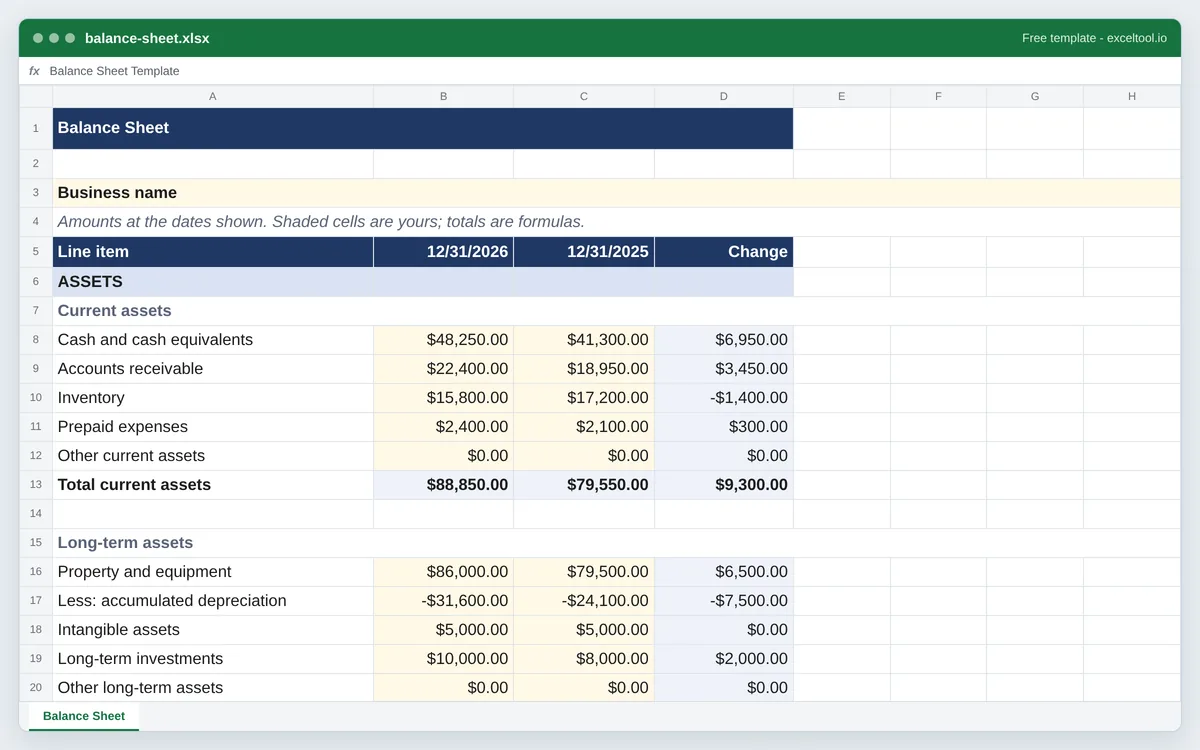
A balance sheet with assets, liabilities and equity totalled by formula and a check that it balances. Business, personal net worth and rental property versions.
- Assets, liabilities and owner's equity in the standard order, each group with its subtotal and every total a formula.
- A balance check that shows Balanced when assets equal liabilities plus equity, or how far out it is.
- This year beside last year with the change, plus working capital, current ratio and debt-to-equity.
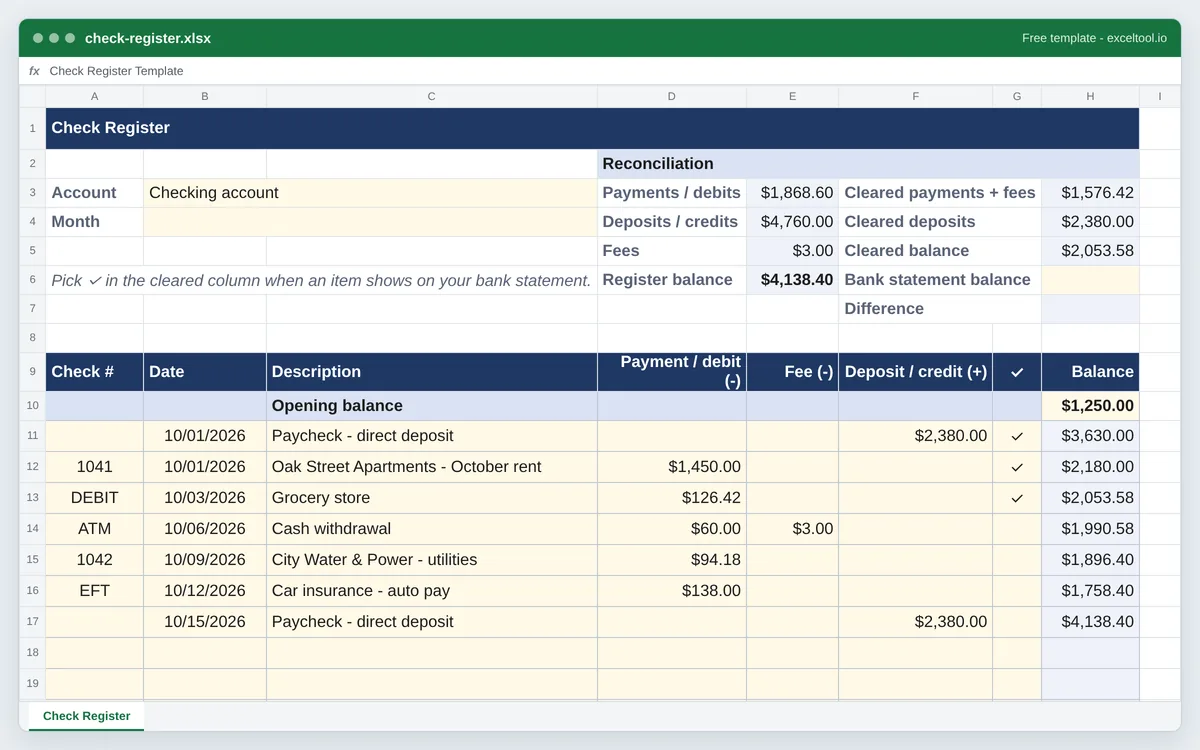
Check Register Template
A checkbook register with a running balance, a cleared column and a bank reconciliation block. Print it on US Letter or keep it in Excel.
- Check number, date, description, payment, fee, deposit and a cleared column, like the register in a checkbook.
- A running balance worked out from the opening balance on every row, so skipped lines never break it.
- A reconciliation block: cleared balance against your bank statement balance, with the difference.
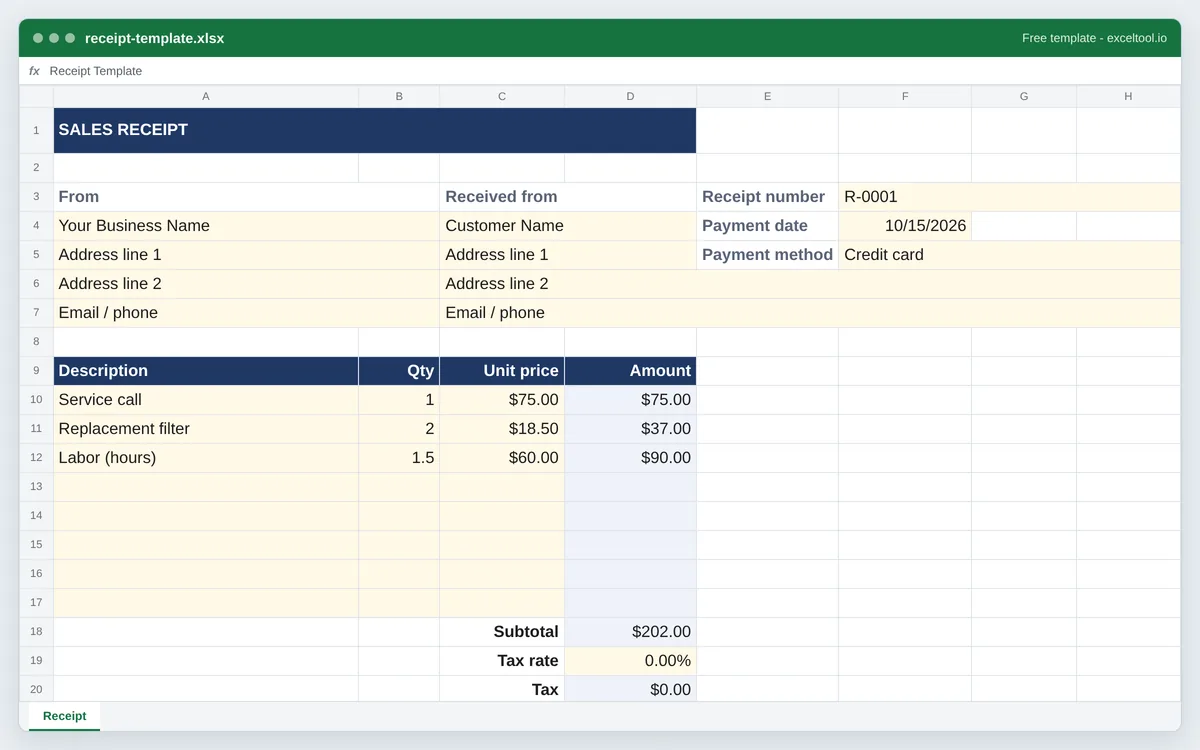
Receipt Template
A printable receipt with your business details, line items that total themselves, sales tax, payment method and amount paid.
- Your business details, the customer, a receipt number, payment date and payment method.
- Line items where Amount is quantity times unit price, a subtotal and an editable sales tax rate.
- Amount paid and balance due under the total, for part payments and deposits.
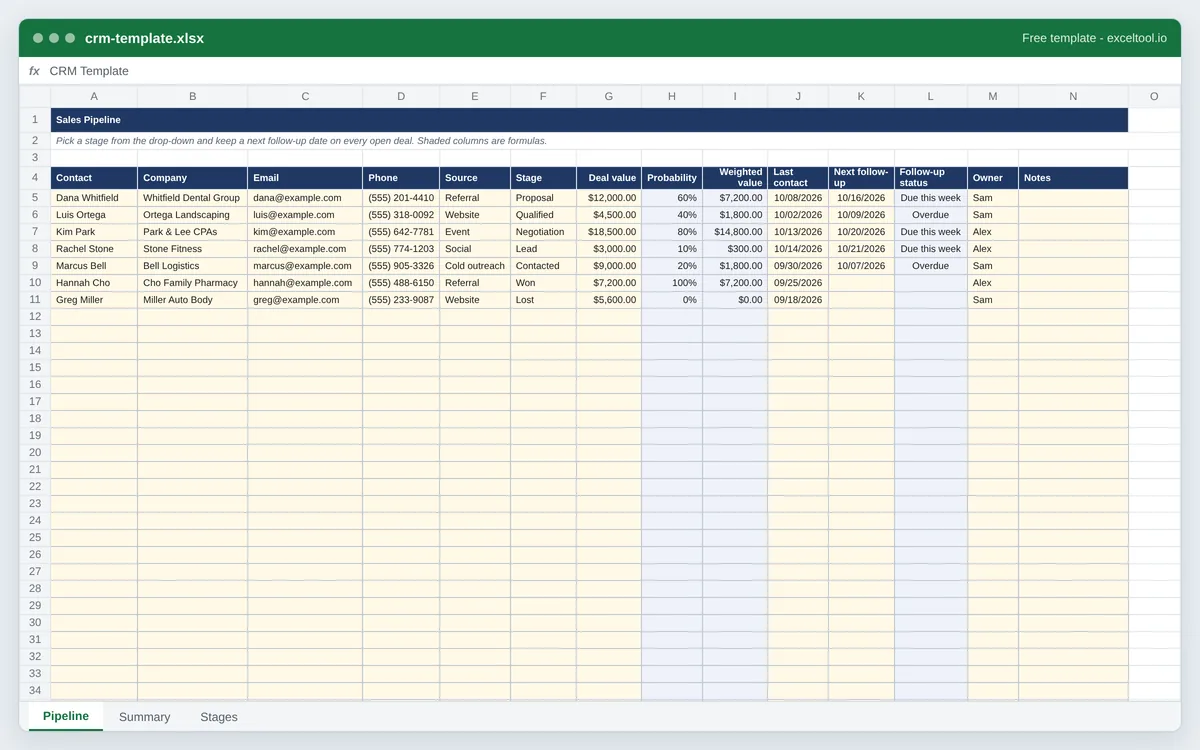
CRM Template
A simple CRM in a spreadsheet: contacts and deals with pipeline stage, deal value, weighted forecast and next follow-up date, plus a pipeline summary.
- One row per contact or deal: company, email, phone, lead source, pipeline stage, deal value and owner.
- Stage drop-downs with a win probability for each stage and a probability-weighted value per deal.
- Next follow-up dates flagged Overdue or Due this week against today's date, and highlighted.
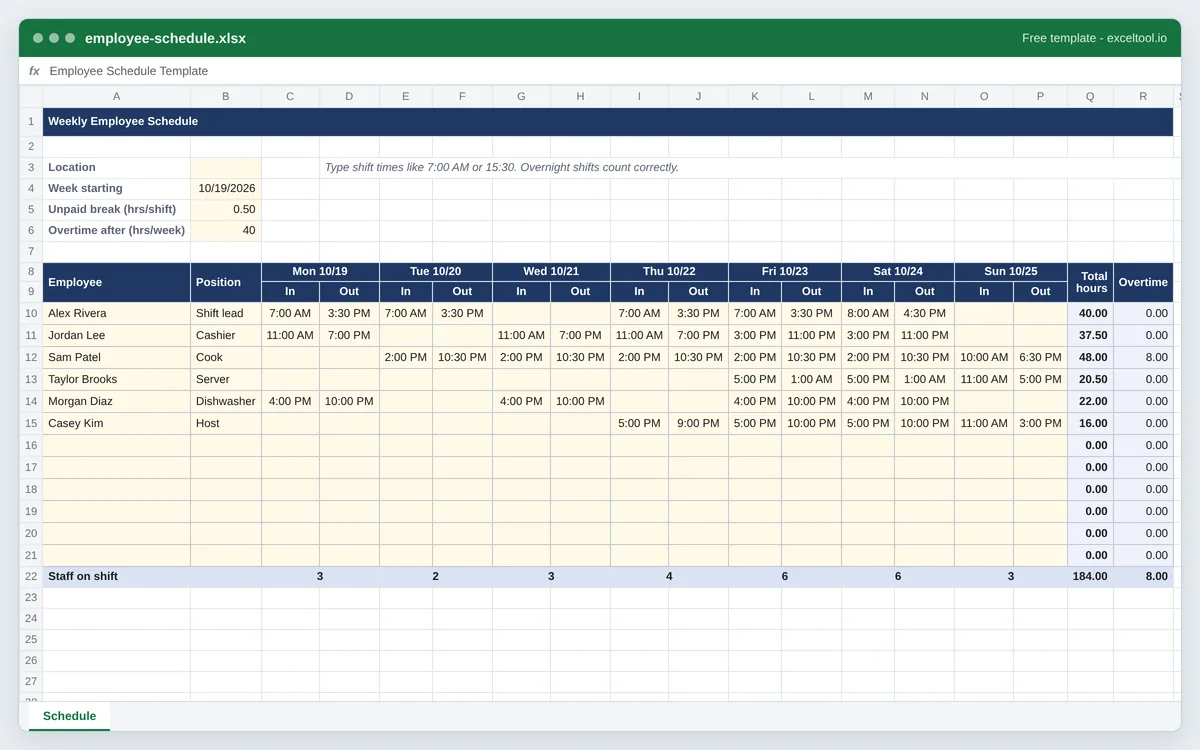
Employee Schedule Template
A weekly work schedule with shift start and end times for every employee, weekly hours and overtime by formula, and staff counts per day.
- One row per employee with an In and Out time for each day of the week; dates fill in from the week start.
- Weekly hours worked out by formula, less the unpaid break, with overnight shifts handled.
- Overtime hours past the 40-hour FLSA workweek, flagged for the manager.
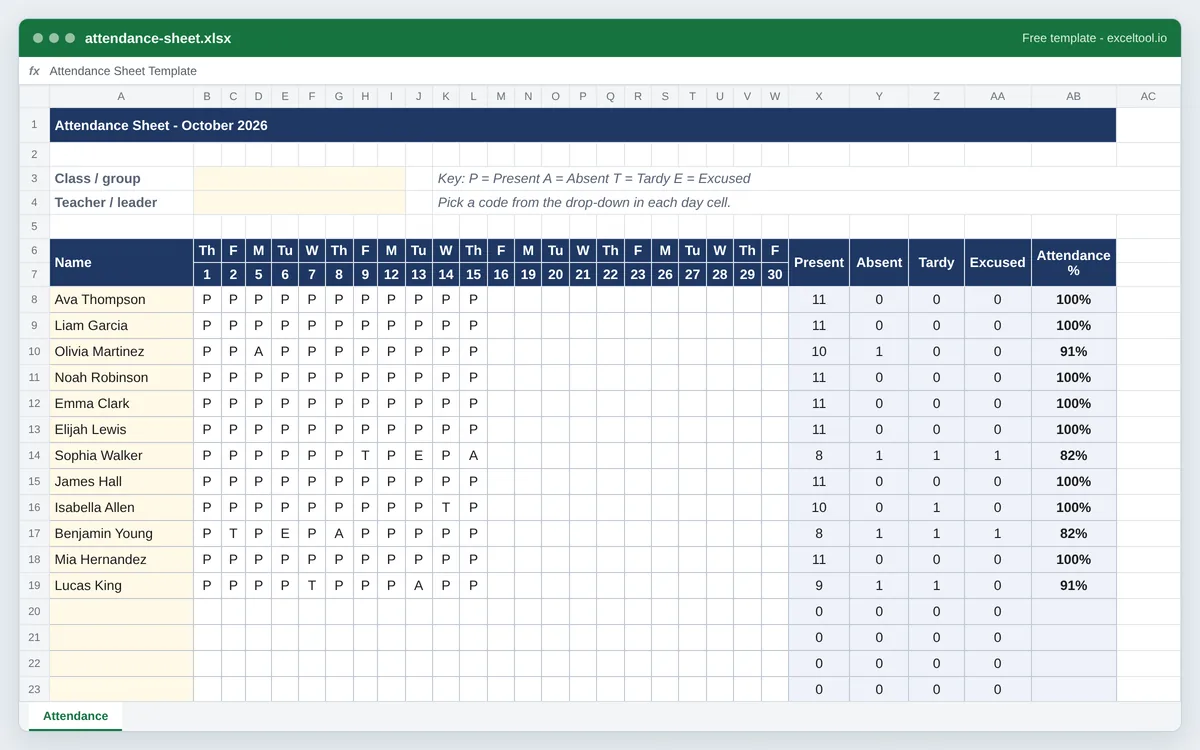
Attendance Sheet Template
A monthly attendance sheet for a class, team or group: a column per day, P/A/T/E codes from a drop-down, and totals and attendance rates by formula.
- One row per student or employee and one column per day of the month - weekdays only, or every day.
- A drop-down of P (present), A (absent), T (tardy) and E (excused) on every day cell, color-coded.
- Totals of each code and an attendance rate per person, and a present count for every day.
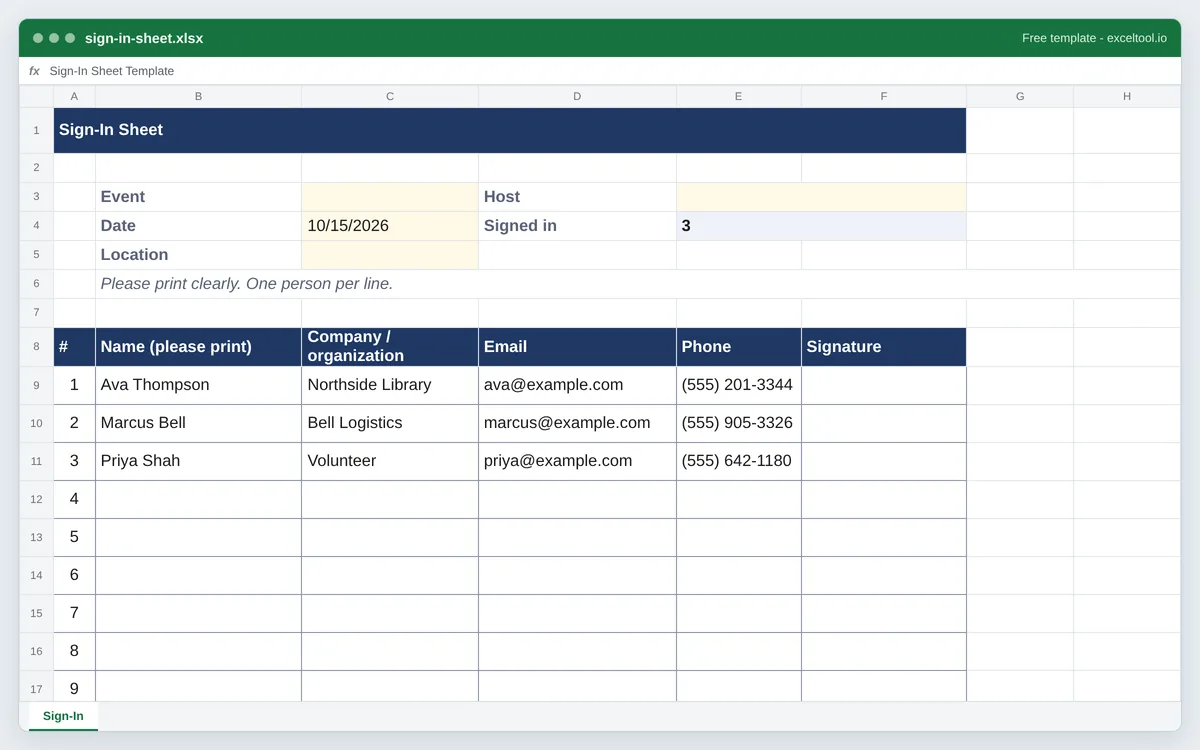
Sign-In Sheet Template
A printable sign-in sheet with numbered lines sized for handwriting. Event, visitor log and meeting versions, as a US Letter PDF or an Excel file.
- Numbered lines sized for handwriting, with the column headings repeated on every printed page.
- Event, visitor log and meeting versions with the columns each one needs.
- A header for the event name, date, location and host.
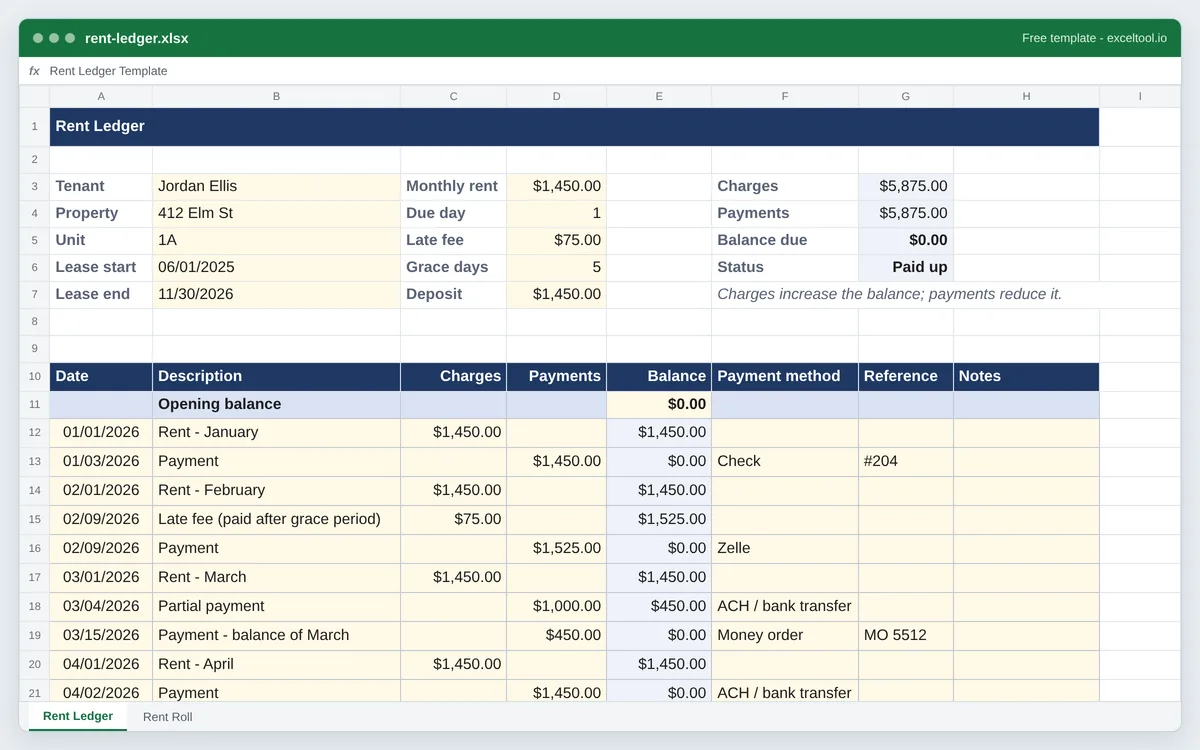
Rent Ledger Template
A tenant rent ledger with charges, payments, late fees and a running balance, plus a rent roll of every unit with lease dates, rent, deposits and occupancy.
- A ledger per tenant: date, description, charges, payments, method and reference, with a running balance.
- Lease terms at the top: rent, due day, late fee, grace period and security deposit.
- A rent roll of every unit: tenant, lease start and end, rent, deposit, balance due and status.
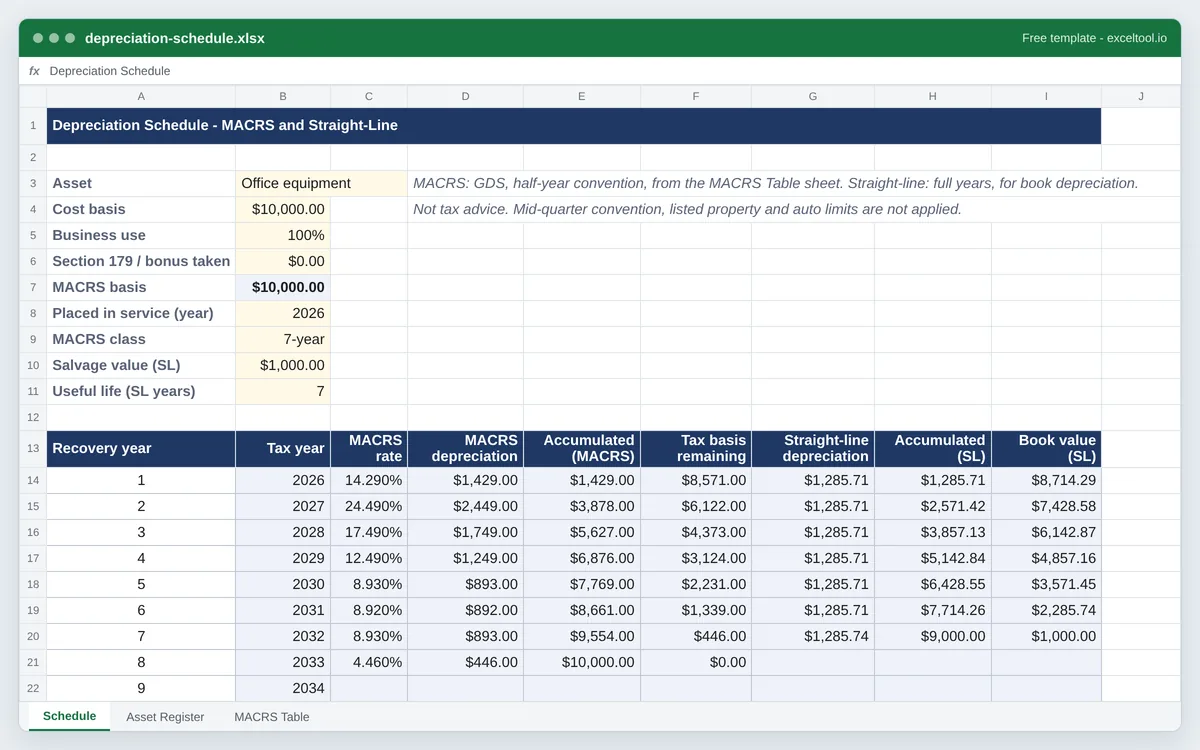
Depreciation Schedule
A year-by-year depreciation schedule with the IRS MACRS percentages (Publication 946, Table A-1) beside straight-line, plus a fixed asset register.
- MACRS depreciation for 3-, 5-, 7-, 10-, 15- and 20-year property, using the IRS half-year convention percentages from Publication 946, Table A-1.
- A straight-line schedule beside it, with salvage value and useful life, for book depreciation.
- Business-use percentage and Section 179 or bonus depreciation reduce the MACRS basis before the table applies.
Generated, Not Downloaded
Most template sites hand you a finished file and leave the editing to you: delete the rows you do not want, retype the category names, repair the totals you broke while deleting rows. These build the workbook around your answers instead. Choose twelve months or three, your own expense categories, your currency, and the sheet is laid out for exactly that - with the SUM ranges pointing at the right cells because they were written after the rows were.
Real Formulas, Not Pasted Numbers
Every total in these workbooks is a formula. Add a row to the budget and the section subtotal follows it; change a quantity on the invoice and the amount, subtotal, tax and total all update. That is the difference between a spreadsheet and a picture of one, and it is the part that a static download usually gets wrong once you start editing.
Where Your Data Goes
Nowhere. The workbook is assembled in your browser and saved straight to your device - there is no upload step, no account, and no server that ever sees the business name, supplier, or figures you type in.